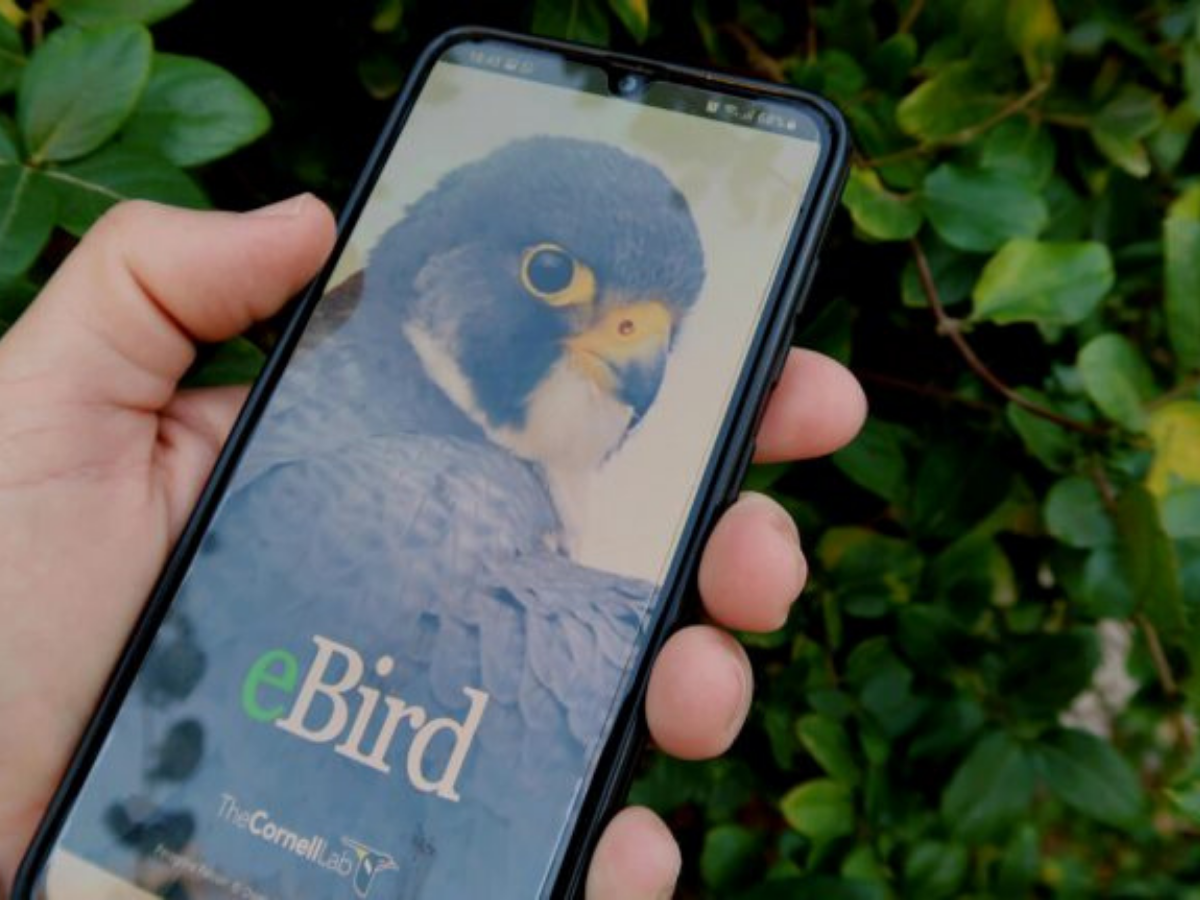

Did you know there’s an app where you can upload lists of the birds you see, find birding hotspots, and be notified about rare bird sightings near you?
Whether you’re a first-time birder or a seasoned pro, there is one app every—and we do mean every—birder should have on their phone or desktop: eBird.
Developed by the Cornell Lab of Ornithology, eBird is the largest biodiversity-related citizen science project worldwide. Its wealth of real-time user data not only helps birders plan upcoming trips and fill out their life lists, but also aids scientists with conducting population studies, informing conservation efforts, anticipating migration arrivals, and myriad other useful purposes.
Using this accessible interface is as easy as one, two, three. Here’s a how-to on how to use eBird, plus a few helpful tips if it’s not your first time doing so.
1. Create a Cornell Lab Account
To begin using eBird, start by creating an account with the Cornell Lab of Ornithology. Once you download the mobile app or visit eBird on your desktop, it will prompt you to input a username, password, and email address.
Once you’re all set, the app will prompt you to download a local “bird pack,” which contains local birds in your specific area. Downloading the bird packs near you enables you to view species you’re likely to encounter, as well as keep track of your sightings even when you’re offline.
Tip: Did you know you can also access other projects from Cornell Lab with your eBird account? These include Merlin Bird ID, the Great Backyard Bird Count, Project Feederwatch, and Bird Academy.
2. Explore Sightings & Hot Spots
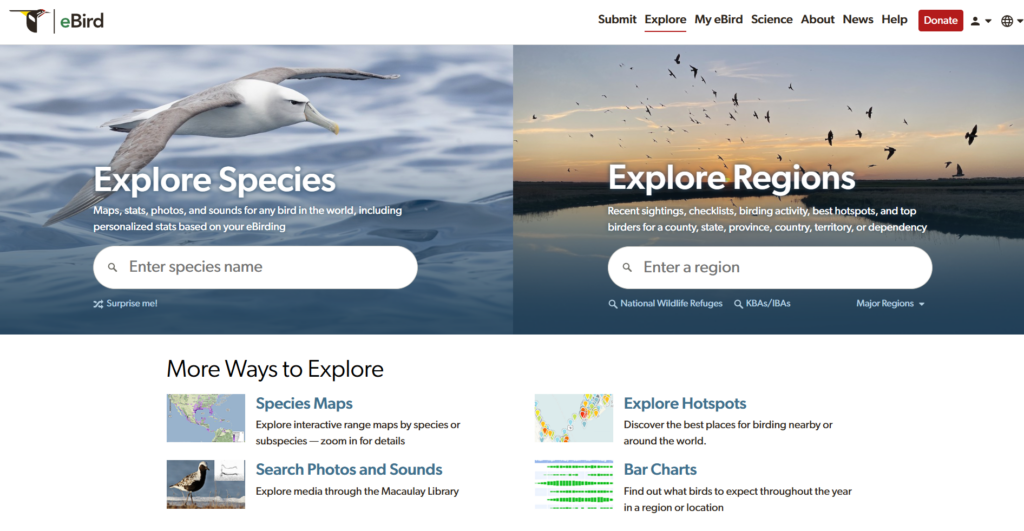
Being the largest biodiversity-related citizen science project in the world, eBird offers a wealth of data at our fingertips. You can explore recent sightings and hotspots when planning an upcoming trip, or simply to understand the birds that are local to your region.
Curious about recent bird sightings and hotspots near you? Tap the “Explore” tab on the eBird mobile app, and zoom in or out to different areas with birding checklists (blue location pins) and hotspots (red location pins). Then, tap any of them to pull up the lists of species observed in that location, broken down into “all-time,” “likely,” and “last seven days.”
While the app is handy when you’re on the go, the eBird website allows for more in-depth searching.
Looking to add a specific bird to your life list, for example? Just pull up the Species Maps, input the species you’re looking for, and eBird will populate a heat map of sightings in different regions near you.
Plus, explore detailed hotspots via the “Explore Hotspots” tab, or you can search for specific photos and bird sounds, create your own target lists, and sign up to receive alerts for rare birds or species you’re interested in.
Tip: For more on the ins and outs of this versatile app, try the eBird Essentials course.
3. Submit a Birding Checklist
Now that you’re logged in and ready for your first birding trip, you’re ready to create a birding checklist. Just open the app and click the green button reading “Start checklist” to begin.
Each checklist you submit should contain the Where, When, What, and How of your birding adventure. Let’s explore the details of each:
Where did you go birding?
When you start a new checklist, eBird will auto-select the location for you, if your phone’s privacy settings allow location sharing with the app.
However, if you’re offline or need to change your checklist location, just tap the little orange location pin with a plus on it (located at the top of your screen) to change your location. From there, you can toggle over to recent spots, drag the map over to somewhere new, or search nearby locations to add.
Including location information in your checklist helps scientists with site and habitat management, habitat protection, species management, and so much more.
Tip: For certain rare species or sensitive nesting sites, it’s best practice to wait until the season has ended or the birds have left before reporting. This protects the birds from potential disturbance.
When did you go birding?
As with location, today’s date and the current time will automatically populate when you begin a new checklist.
If you need to change the date and time, you can do so before or after you’ve gone birding by clicking the date and the start time and scrolling down to the correct information.
Which birds did you find?
Now comes the fun part: tracking the species you see!
If you’ve downloaded the “bird pack” that’s specific to your local area, you’ll notice a list of suggested species will populate after you begin a new checklist. To add the birds you notice on your trip, you can either click the plus sign to the left (multiple times, if you see multiple of the same species), or you can click “Add observation or find species” and search.
Unsure as to which bird you notice, or what calls you hear? Try the Merlin ID app, also through Cornell Lab!
Use your eBird account information to log in to this app that enables you to identify birds by appearance (tap the camera button and upload a photo) or sound (tap the green microphone button and record the birdsong. Once you input either a photo of the bird or a recording of their song, the app will respond with a list of the most likely species.
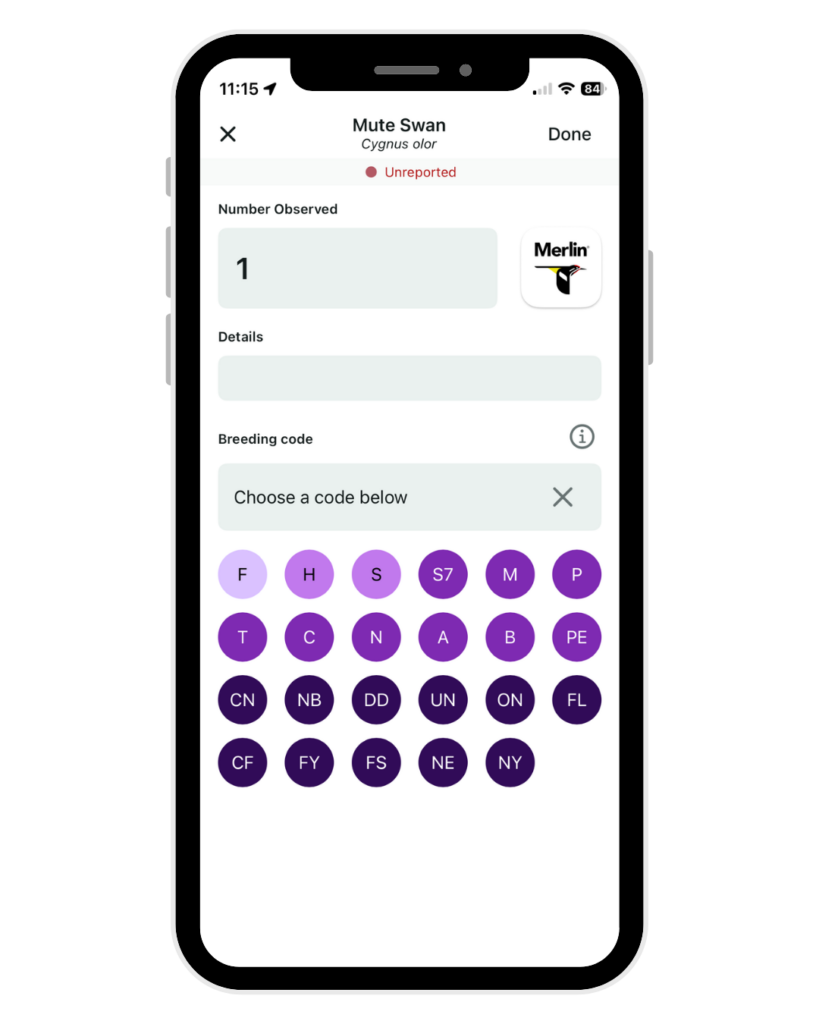
Tip: See multiple of the same species? You can also add more birds to your checklist after it’s already been completed by tapping the plus sign next to “# Species.” Or, tap the species and input an approximate number. It does not have to be exact, but this is better than inputting “X” instead of a number. Give it your best estimate!
Another tip: Add a breeding or behavior code, if you can. After you finish with a checklist, tap the species to bring up a page that enables you to add one. These can include: F: Flyover, S: Singing Bird, among others, providing more contextual information about your sighting. Learn more about eBird breeding and behavior codes at their explainer on the topic.
How did you go birding?
After you’ve completed your checklist, you’ll notice a three-dot icon to the right under the orange location section. This three-dot icon enables you to specify the way you observed birds on your trip.
Did you go on a birding hike with a local organization? Tap the three-dot icon and select “Traveling,” since your primary focus was birding, you know when and where you birded, and (likely) traveled at least 100ft from your starting location.
Did you sit on an observation deck and watch the birds along the horizon? Tap “Stationary,” since, again, birding was your primary focus, you know when and where you birded, but you mostly stayed in one place (and did not go 100ft from your starting location).
Or, did you go out on a neighborhood walk and happen to see a Bald Eagle that you decided to log in eBird? In this case, select “Incidental” because you did not primarily intend to go birding. (Sometimes, birding just happens to us, doesn’t it?)
Finally, select “Historical” to input a past birding trip where birding was your main focus, but you know some details about it (i.e. start time, distance, and duration), not all.
These are the main details behind selecting your observation type, but more information can be found on eBird’s protocols page.
Interested in learning more about birding? Join our weekly Friday morning birding programs at Beaver Meadow Nature Preserve. Visit our website to stay updated on upcoming programs and events, discounts and other perks that come with a Buffalo Audubon membership, and so much more.
Buffalo Audubon leads and inspires Western New Yorkers to connect with and protect the natural world through bird-focused activities, advocacy, and habitat restoration. Our organization launched the Bird-Friendly Buffalo movement in 2025, to help raise awareness and guide communities with practical solutions to build a city where birds can thrive.